Explore your Suite.
Take a closer look at the tools behind your show.
 Join the build queue
 Take a closer look at the tools behind your show.
Dance Floor
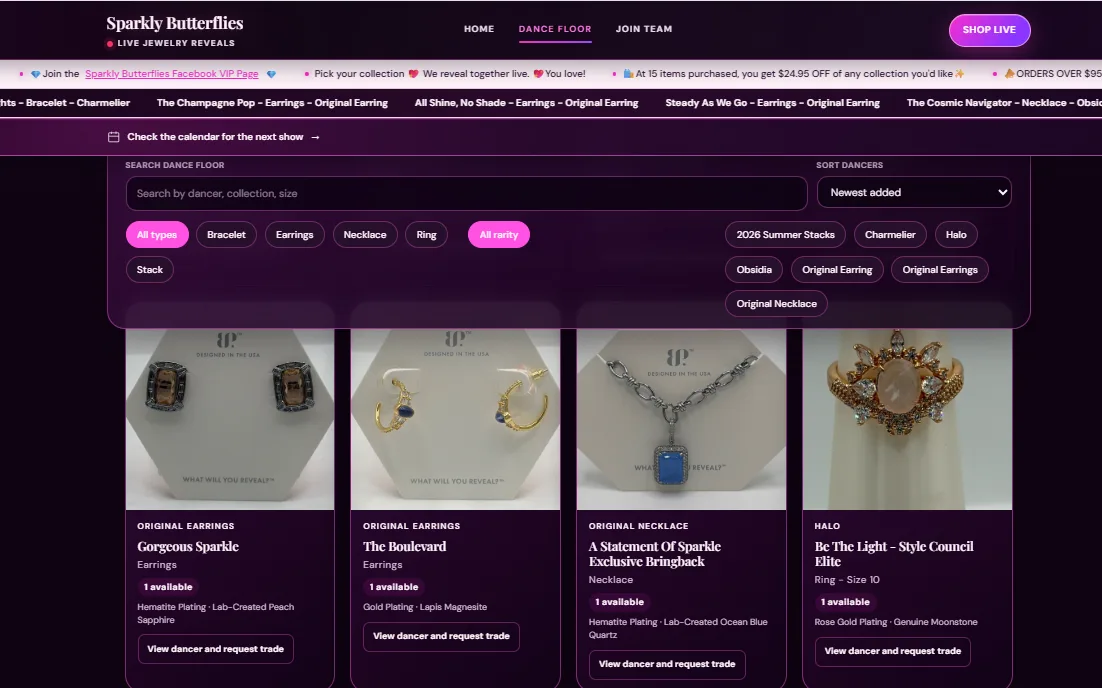
Give your pieces a home on your website, so shoppers can explore your Dance Floor in their own time.
Add jewelry listings with photos and details. Shoppers can search and filter the Dance Floor to find pieces that catch their eye.
The Jewelry Library supports your jewelry workflow; it is part of the workspace, not another customer site to manage.
Live Lineup
Your Live Lineup sits at the top of your site, alongside your announcement and Dance Floor tickers.
Shoppers can tap a name or open the full lineup without leaving your website. The compact strip keeps the line close at hand while the rest of your site stays available.
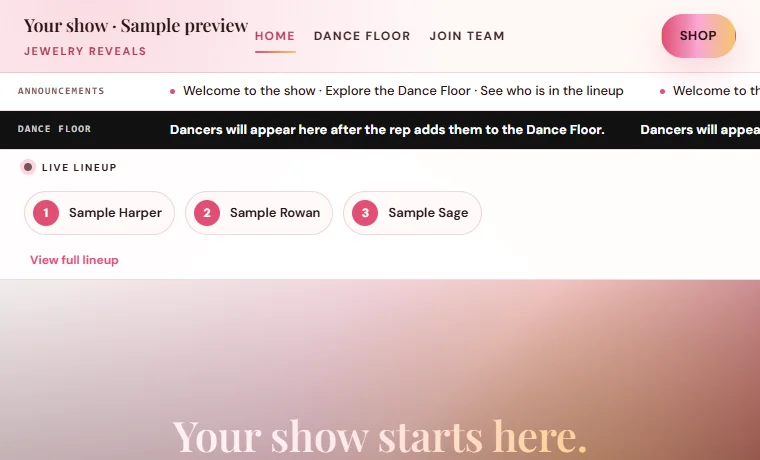
From the ticker to the full lineup, without leaving the site.
Live Show Calendar
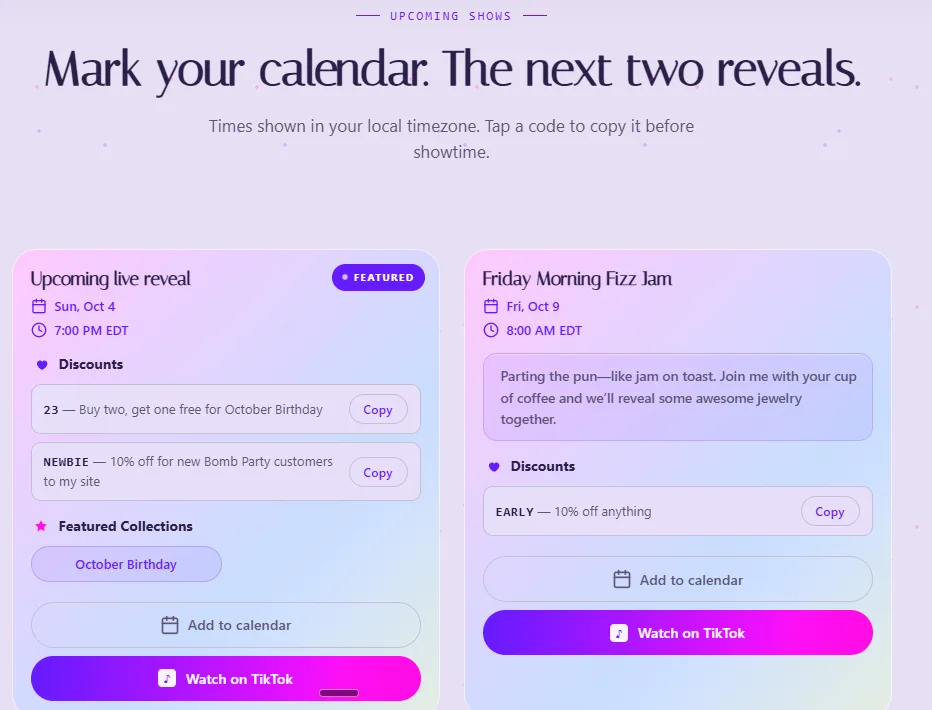
Keep upcoming shows in one place, with the details shoppers need to plan when to join you.
Add your show date, time, platform, and details from your workspace. Nic-Nac can help you schedule a show, too.
Customer email and SMS updates are coming soon.
Team Management
Manage your team’s public presence and give each new rep a private place to get started.
Manage each person’s photo, show name, and social links. Choose which cards appear on your public Join Team page, and keep new members hidden until you’re ready.
From their saved card, create a private onboarding link, see their progress, and open their questions in your Message Center.
Sending an onboarding link does not publish their team card.
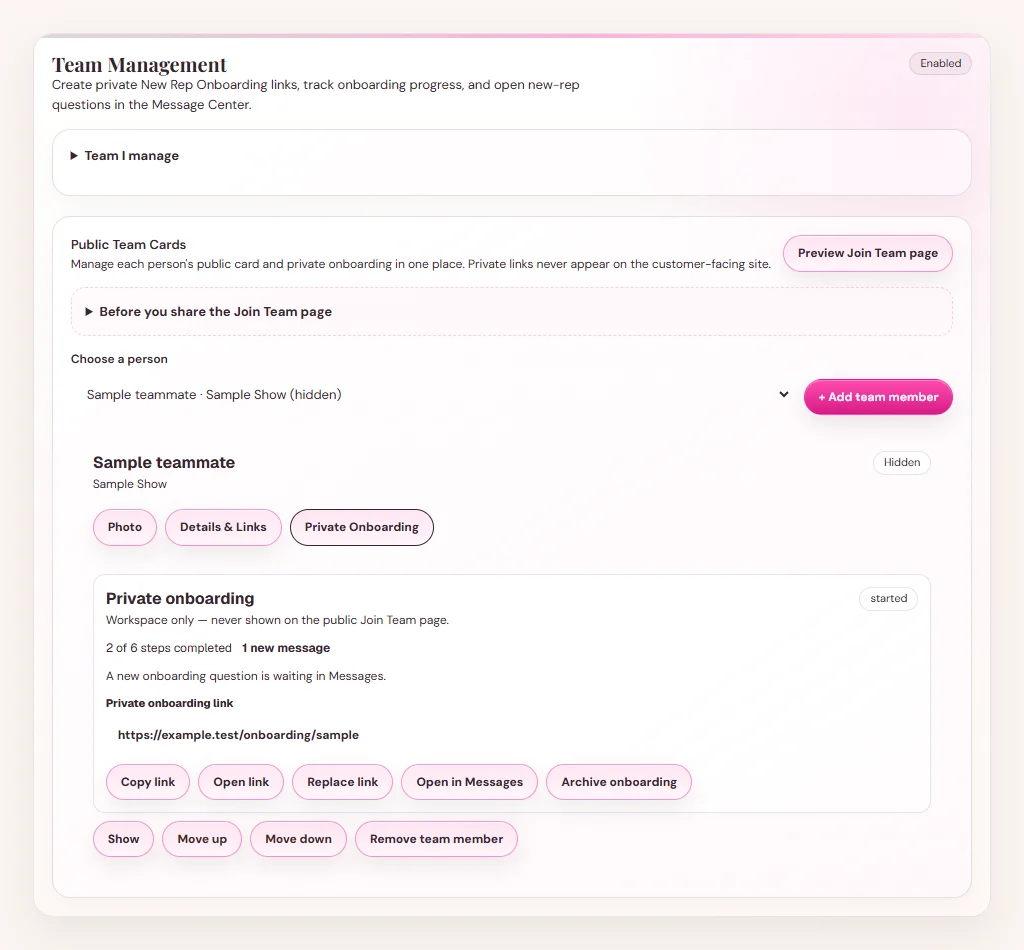
Send a private guide with a personal welcome and six starting steps—from training access and payout setup to their first live, shipping, and customer follow-up.
They keep the same private link. You can follow their progress and reply to their questions from your workspace.
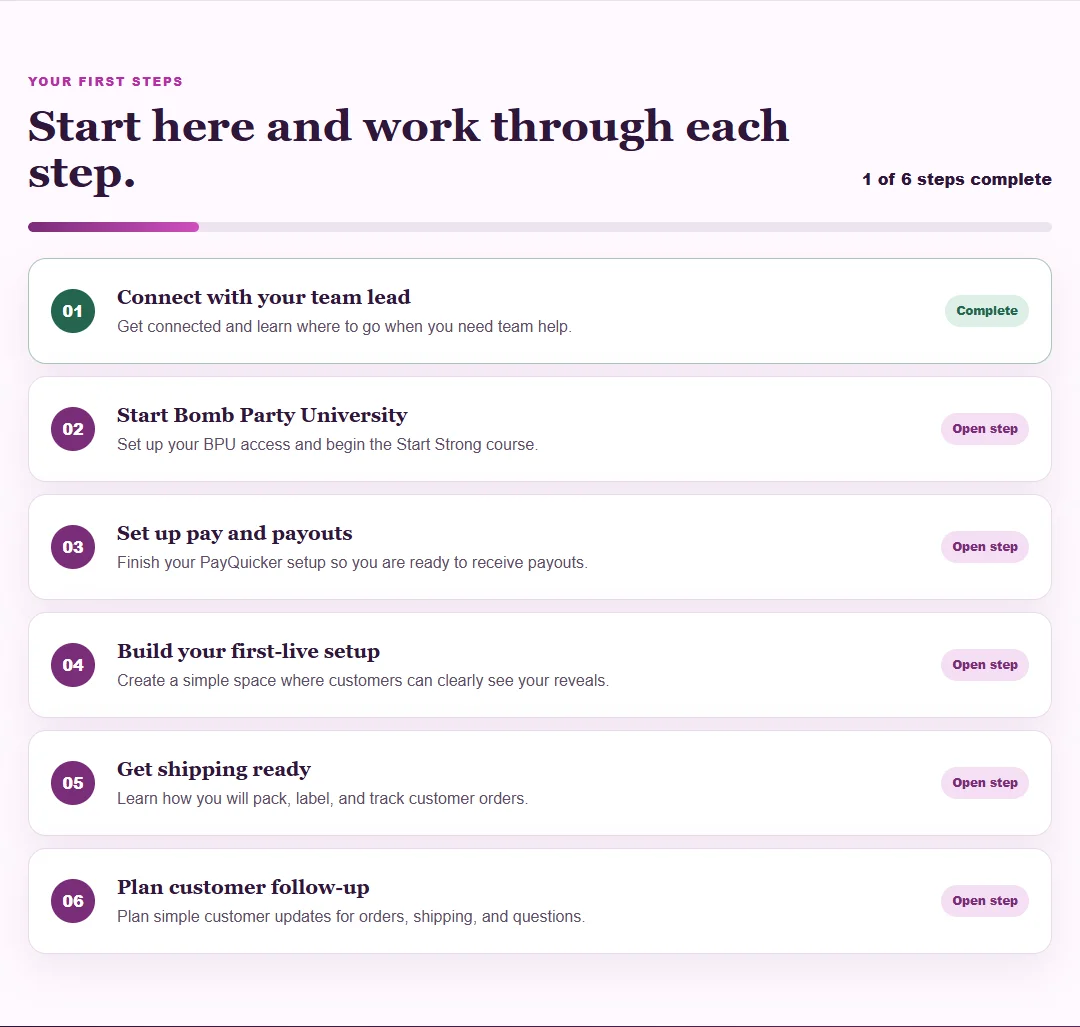
Team Management and New Rep Onboarding are included with an active Sparkle Suite workspace.
Nic-Nac · Your rep assistant
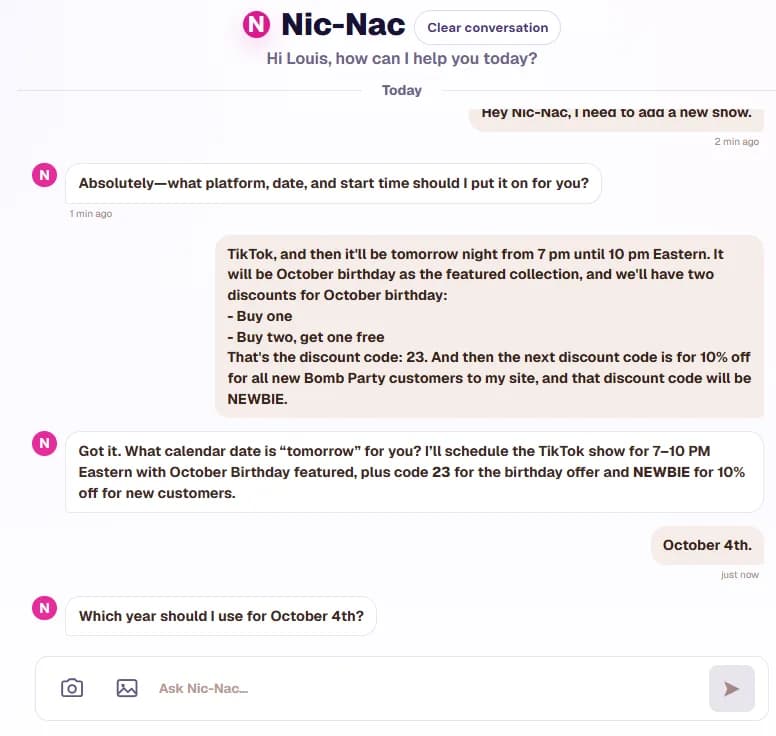
Tell Nic-Nac what you need to get done. He helps with real tasks inside your paid Sparkle Suite workspace.
Nic-Nac asks for the details needed to carry out your request. The conversation stays alongside the tools you use to run your workspace.
Nic-Nac is included for paying reps. Joining the build queue does not activate a workspace.
Workspace essentials
Supporting tools give your information and everyday questions a place to go.
No payment when you join the queue.
Join the build queue and I’ll email you to book a quick 30-minute call. Your build starts once your first month and setup fee are paid.
See pricing and what’s included